My Life: Safari Vet Controls for PC, PS5 and Switch
My Life: Safari Vet controls explained: every tool-rail prompt, camera and map buttons, photo mode inputs, and fixes when an input will not register.
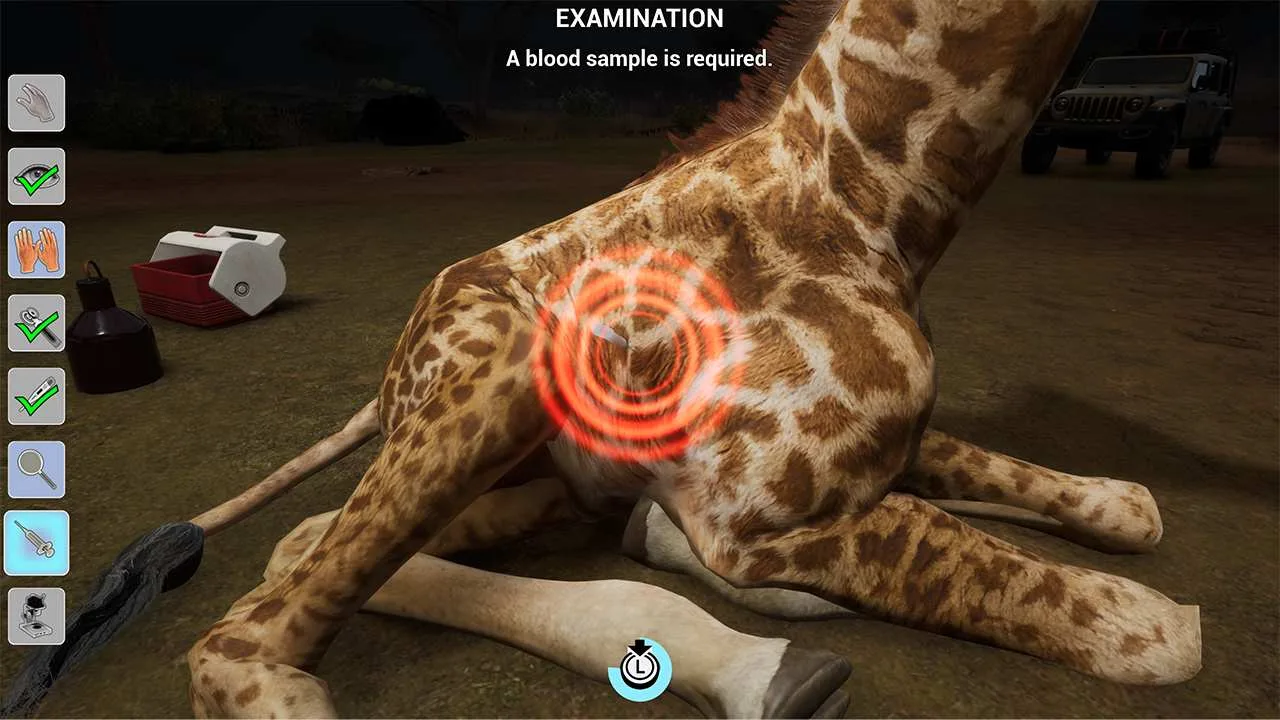
Controls are contextual: the game shows one prompt at a time, tied to the highlighted tool on the left rail. Confirm with the face button, perform the tool's motion with a stick or trigger, and the rail advances. There are no combos, no timed presses and no inputs to memorise beyond the eight tools.
Where the game differs by platform is only the glyph. The healing guide→ covers what each tool does; this page is the button layer.
The inputs you will actually use
| Action | Input seen in official screenshots |
|---|---|
| Confirm, advance, interact | A / cross |
| Examine closely | Hold RT |
| Inject | Push left stick |
| Draw blood | Left stick up and down |
| Disinfect | Wiggle right stick |
| Move camera | Right stick |
| Zoom in photo mode | LT and RT |
| Take a photo | Y / triangle |
| Hide the interface | X / square |
| Close the camera | B / circle |
Switch swaps the glyphs to Nintendo's layout, with ZR visible in eShop screenshots for a held action. The motion inputs (stick push, stick up and down, stick wiggle) stay the same because they are directional rather than labelled.
Steam lists full controller support and does not publish a keyboard layout. The game shows key prompts if you play with mouse and keyboard, and the binding is in the settings menu. We have not verified a default scheme, so we are not printing one.
How do you read the tool rail?
The rail is the vertical strip of eight icons on the left of the screen, and it doubles as your checklist:
The treatment steps→ page shows the rail order for a full case.
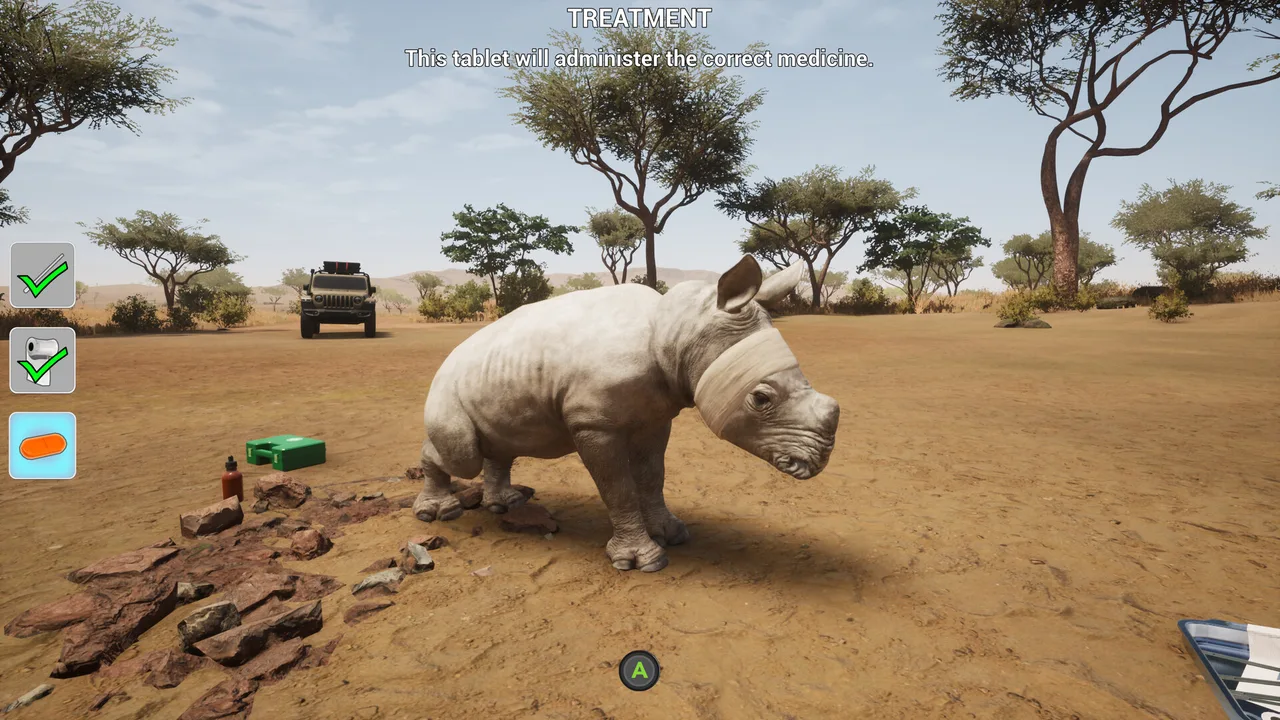
- A green tick means the step is done.
- The glowing icon is the current step.
- Grey icons below it are steps you have not reached.
The rail does not scroll and does not reorder, so the position of the glow tells you how far through a case you are. A five-icon case is a short one; an eight-step case is a clinic job.
How do you use the map and tasks?
The map button sits in the top-right cluster, next to the camera. Opening it shows the reserve with two marker types: paw prints for animals that need a vet, and a cyan cross for the clinic. Selecting a marker puts a waypoint on the minimap in the bottom-right corner.
The same cluster holds the task list. Tasks are accepted automatically; there is no quest giver to talk to, and no way to decline work.
You rarely need the full map. The bottom-right minimap shows the next marker, the road and your heading, which is enough to drive by.
What does the photo mode control?
Photo mode has its own inputs, shown as a legend when the camera is open: right stick to move, LT and RT to zoom, Y to shoot, X to hide the UI and B to close.
The hide-UI toggle is the one people miss. It clears the HUD, prompts and markers so the shot is clean, and it is a single press rather than a menu option.
Why is an input not registering?
Four causes, in order of likelihood:
- Wrong motion. The syringe wants a push, the sample syringe wants an up-and-down motion, the spray wants a wiggle. A hold does nothing on all three.
- Wrong tool. The rail gates each step; pressing the stethoscope button on a wound step does nothing at all.
- Uncalmed animal. Anxious animals refuse instruments until stroked. The prompt says so explicitly.
- Half-finished ring. Every input has a progress ring. If it is not full, the step has not completed.
There is no penalty for any of these. The game waits, the prompt repeats, and you try again.
Do the controls work for children?
Mostly yes. The design avoids the two things young players struggle with: timed presses and simultaneous button combinations. Steam advertises "Playable without Timed Input", and Sony's accessibility list confirms the game can be played without rapid presses, without simultaneous presses, without motion controls and without touch controls.
The harder part is the stick motions, which need a steady hand. A child who can drive in a kart game will manage them; a child who has never used a twin-stick layout will need a few cases of practice.
Is there a control difference on Switch?
Only the glyphs, plus handheld ergonomics. The Switch version is played with the Joy-Con attached or a Pro Controller, and the motion inputs are the same directional gestures.
Switch screenshots show ZR as the held action, which is the same physical position as RT on other pads. If you are switching between platforms, your hands will adjust faster than your eyes.
The platform page covers controller support, accessibility and play modes side by side if you are choosing where to buy.
FAQ
Can you remap controls? Platform-level remapping works (Steam Input, PS5 and Switch system settings). In-game remapping is not documented.
Is mouse and keyboard supported on PC? The store page lists full controller support and does not say keyboard is unsupported. Expect key prompts, but we have not verified a default layout.
Do you need motion controls? No. Sony's accessibility list explicitly includes playable without motion controls.
Are there quick-time events? No. Every input is untimed.
Official source: Steam store page ↗ Official source: PlayStation Store listing ↗ Official source: Nintendo eShop listing ↗